
Remote Control Interface
The Control API lets external programs drive Torchsnap over a local Unix domain socket. Show and hide the launcher, set the search query, check visibility state — all from shell scripts, automation tools, or custom integrations.
Enabling the Control API
Section titled “Enabling the Control API”The Control API is disabled by default. To enable it, open Settings and toggle Control API on under the Advanced section in General.
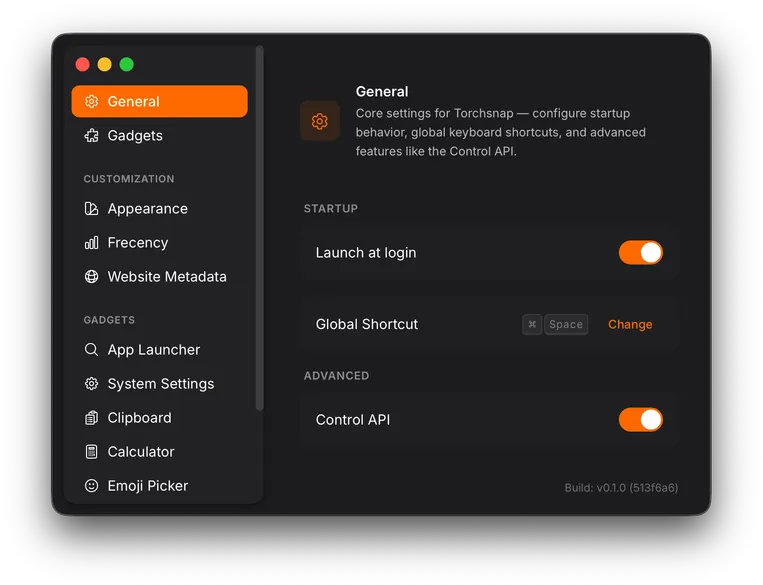
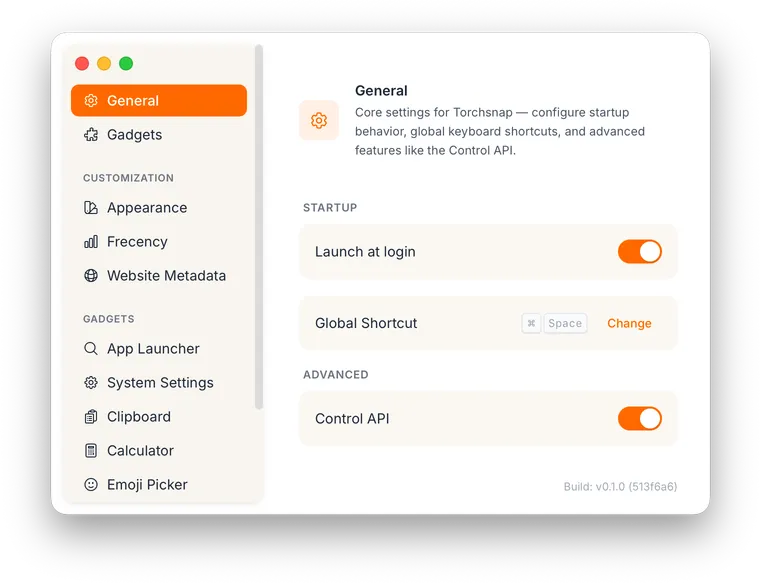
Once enabled, Torchsnap opens a Unix domain socket that accepts connections immediately. Turning the toggle off closes the socket and disconnects all active clients.
Socket path
Section titled “Socket path”The socket is located in the Torchsnap application data directory:
| Platform | Path |
|---|---|
| macOS | ~/Library/Application Support/app.torchsnap/control.sock |
| Linux | ~/.local/share/app.torchsnap/control.sock |
The Linux path follows the XDG Base Directory specification and respects a
custom $XDG_DATA_HOME if set.
Connecting
Section titled “Connecting”Connect with any tool that speaks Unix sockets. The examples below use
socat, available via Homebrew
(brew install socat) or most Linux package managers.
Interactive session
Section titled “Interactive session”socat - UNIX-CONNECT:"$HOME/Library/Application Support/app.torchsnap/control.sock"Type JSON-RPC requests line by line. Press Ctrl+D to disconnect.
One-shot command
Section titled “One-shot command”SOCK="$HOME/Library/Application Support/app.torchsnap/control.sock"echo '{"jsonrpc":"2.0","id":1,"method":"status"}' | socat - UNIX-CONNECT:"$SOCK"# → {"id":1,"jsonrpc":"2.0","result":{"visible":false}}Protocol
Section titled “Protocol”The Control API uses JSON-RPC 2.0 over newline-delimited JSON:
- Each request is a single JSON object on one line, terminated by
\n. - Each response is a single JSON object on one line, terminated by
\n. - The client picks an
id(string or number); the server echoes it back so requests and responses can be matched.
Request format
Section titled “Request format”{"jsonrpc": "2.0", "id": 1, "method": "show"}{"jsonrpc": "2.0", "id": 2, "method": "query", "params": {"text": "firefox"}}Response format
Section titled “Response format”Success:
{"jsonrpc": "2.0", "id": 1, "result": {"ok": true}}Error:
{"jsonrpc": "2.0", "id": 1, "error": {"code": -32601, "message": "Method not found: foo"}}Multiple clients
Section titled “Multiple clients”The socket supports multiple simultaneous connections. Each client operates independently as there is no shared state between connections beyond the launcher itself.
Next steps
Section titled “Next steps”See Commands for the full list of available methods, parameters, and error codes.